
Pink noise mix reference generator
Version 2 adds a third-octave analyser, so you can see the balance of a mix as well as hear it. Pink noise reads as a flat row of bars, and a mix that follows a pink slope sits along the dashed line. Averaging is switchable between fast, medium, and slow.
The panel has been redesigned to match the rest of the range, and there are various minor improvements throughout.
New in 2.0.1: the interface can be scaled from 75% to 200%. Drag the bottom-right corner, or right-click the background and pick a size. Pink remembers the size you choose.
Pink is free, and it stays free. If you would like to hear what else we make, have a look at Infiltrator, the multi-effect we build over at Devious Machines.
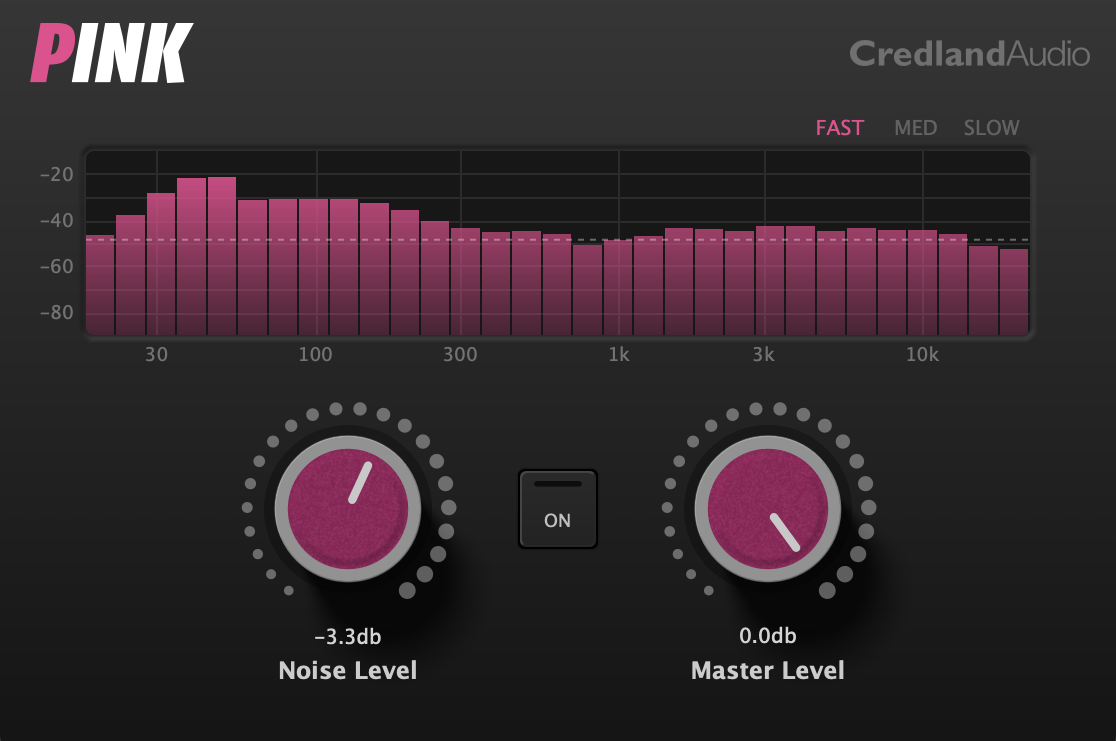
- Generates pink noise for use as a mix reference.
- Third-octave analyser showing the average spectrum of whatever is playing, with fast, medium, and slow averaging.
- Independent noise on the left and right channels.
- Scalable interface, from 75% to 200%.
- Variable master output level, and a soft on/off switch, so the pink noise doesn’t hurt your ears.
- Removes doubt from the mixing process and helps you get a decent result quickly.
- It’s free and it’s pink!
If you weren’t born with golden ears referencing against pink noise makes mixing easier.
Follow the instructions below or watch one of the many videos on youtube about this handy technique.
Instructions
- Put Pink on your master channel.
- Set the noise level to a good reference point.
- Use the master level so that the pink noise is at a comfortable listening volume.
- Solo each channel in turn and adjust the level so you can only just hear it over the pink noise
- Turn the noise off and check the analyser. The dashed line sits at whatever the 1 kHz band is doing, so a mix on a pink slope puts every other band on that line.
System Requirements – Audio Unit, VST 2.4, VST 3, and AAX, all 64-bit. macOS 11 or later, Intel and Apple Silicon. Windows 10 or later.